
Key takeaways
- Ideavo provides a unique ‘free forever’ model that lowers the barrier for non-technical founders to build full-stack applications.
- While excellent for prototyping and simple internal tools, users must conduct thorough security audits on AI-generated code.
- The platform’s long-term sustainability depends on its ability to handle complex scaling requirements compared to enterprise alternatives.
- Understanding the limitations of automated code generation is essential for maintaining app performance and data integrity.
Imagine you’re sitting down with a rough sketch of an app idea, hoping to turn it into a functional prototype before your morning chai gets cold. It’s a common dream for non-technical founders, but the path from prompt to production is often paved with hidden costs and steep learning curves. That is why many are now looking at Ideavo, which claims to be the best AI app builder for beginners by offering a "free forever" model that skips standard credit markups.
But how good are AI app builders really, and can a no-code tool actually handle complex workflows? Much like you’d weigh the trade-offs in Zero’s $8K Shift: The Best Electric Motorcycle for Beginners?, it’s worth looking past the marketing. While some platforms focus on simple websites—as seen in recent breakdowns at gizmodo.com—Ideavo aims for full-stack functionality. Let’s break down whether this tool truly delivers on its promise.
Understanding the Ideavo Architecture
Ideavo isn’t just another drag-and-drop template factory; it’s positioning itself as a serious contender for the best ai app builder for beginners. At its core, the platform uses an automated stack generation engine that translates your natural language requirements into functional architecture. When you type a prompt, the AI doesn’t just guess colors; it maps your logic to specific database schemas—like defining primary keys or relational tables—and simultaneously structures the frontend boilerplate.
Think of it as a bridge between high-level intent and low-level execution. While standard no-code tools often leave you locked into a rigid UI grid, Ideavo generates full-stack code that feels more like a scaffolded project you’d build in VS Code. It handles the backend authentication and API connectivity by default, which is a major shift from builders that only focus on visuals.
For developers who need to verify their logic, comparing these outputs to something like the Microsoft AI Diagnostic Orchestrator: Sequential Logic Analysis reveals how far these automated generators have come in maintaining logical consistency. You aren’t just getting a pretty interface; you’re getting a functional backend ready for third-party API integration. Whether you’re plugging in Stripe for payments or Airtable for data management, the platform exposes the underlying logic, allowing you to move beyond the limitations of basic no-code tools and actually build something that scales.
Setting Up Your First Project: A Step-by-Step Walkthrough
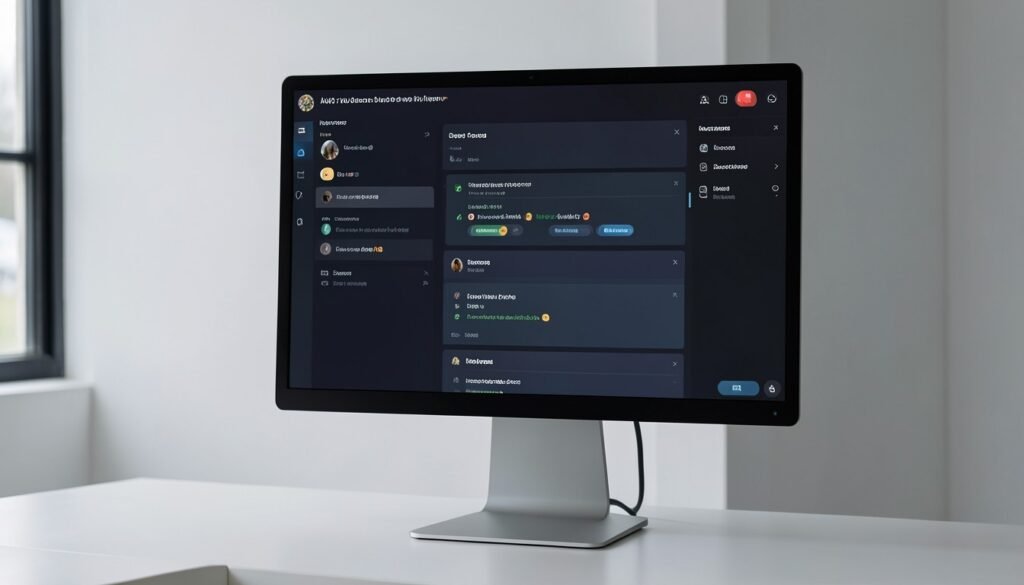
Getting started with Ideavo feels surprisingly intuitive, even if you’ve never touched a line of code. Once you sign up, the workspace greets you with a clean, distraction-free interface. You’re not just building a static page; you’re setting up a full-stack environment.
First, you define your app’s purpose through a primary prompt. Be specific—instead of just saying "build a task app," describe the user flow: "Create a project dashboard where users can assign tasks and track deadlines via a calendar view." This clarity is vital because, as noted by eweek.com, AI success often hinges on how reachable your data is.
Once the initial structure populates, don’t hit deploy immediately. You need to review the generated code blocks. Ideavo allows you to inspect the backend logic and UI components directly. If the AI adds an unnecessary authentication layer or a database call you don’t need, you can toggle these elements in the editor. It’s one of the most effective no-code AI tools for beginners because it doesn’t hide the complexity—it just manages it for you.
Finally, manage your progress using the built-in version control system. Before you push any major changes, Ideavo lets you "snapshot" your current build. If an experimental feature breaks your flow, you can roll back to a previous state with a single click. This safety net is essential for non-technical founders looking for the best ai app builder for beginners without risking their progress.

The ‘Free Forever’ Model: What’s the Catch?
When you see a tool advertised as "free forever," it’s natural to be skeptical. While Ideavo’s promise to eliminate credit markups sounds excellent for those hunting for the best AI app builder for beginners, nothing in the tech world is truly without cost. According to their official pricing documentation, while you don’t pay for the AI tokens themselves, you will likely run into "fair use" walls regarding compute power and storage capacity as your project grows.
Often, "free" means the platform subsidizes your usage by keeping your data in a shared environment. You should always check if your code is being used to train their underlying models, which is a common trade-off with no-code AI tools. If you’re building something proprietary, that’s a major privacy concern. Furthermore, while the builder might be free, you often pay for final hosting or third-party API integrations once your app goes live. For our readers in India looking to scale, these hidden hosting fees can add up quickly. As we saw with the OpenAI Windsurf Acquisition Final Agreement: What It Means, industry shifts can change how these "free" ecosystems operate overnight, so always check the terms of service before committing your best ideas.
Comparing Ideavo to Enterprise Alternatives
When you look at the best ai app builder for complex apps, the gap between emerging platforms like Ideavo and established giants like Bubble, FlutterFlow, or Replit becomes clear. Bubble and FlutterFlow have spent years building ecosystems for high-scale logic, offering granular control that Ideavo—with its "free forever" focus—is still working to match. While tech.co notes that newer tools prioritize speed for non-technical users, enterprise alternatives provide the modular, production-ready architectures that professional teams demand.
Performance benchmarks for AI-generated code often remain inconsistent across platforms. Enterprise-grade tools typically provide optimized, tested frameworks designed for high-traffic environments. In contrast, Ideavo’s output is excellent for rapid prototyping, but you might find yourself needing to manually refactor code if you plan to scale beyond a few thousand concurrent users.
Migration is another major factor. If you want to move your app to a custom server or a private cloud, tools like FlutterFlow allow for full code export. You need to verify if Ideavo grants similar ownership over the backend logic or if you are locked into their specific ecosystem.
Ultimately, Ideavo is a fantastic entry point for non-technical founders testing an MVP. However, if your roadmap involves managing massive datasets or intricate security integrations, the reliability and deep customization of enterprise no-code AI tools often justify their higher subscription costs. Choose your builder based on where you want your app to be in two years, not just where it needs to be tomorrow.
Security and Code Ownership: What Developers Need to Know
When you use an AI app builder, the convenience of rapid development often masks the legal reality of what you actually own. Before committing to a platform like Ideavo, you must dig into the Terms of Service. Specifically, check if the platform claims an irrevocable license to your source code or if you maintain full intellectual property rights. If the terms remain vague, you might find yourself locked into their proprietary ecosystem, making it nearly impossible to migrate your project to a custom server later.
Beyond ownership, remember that AI-generated code is not immune to vulnerabilities. While these tools automate the backend, they do not guarantee secure architecture. You should treat every AI-generated function as a draft that requires a rigorous manual security audit. If you are building anything that touches sensitive user data, look into how security layers are implemented, similar to how CrowdStrike AI Agent Security: How the Kill Switch Works provides visibility and control over agent behavior in complex environments.
Data privacy is your final hurdle. Ensure the platform adheres to standards like GDPR or CCPA if you are handling user information. Many no-code AI tools host data on shared servers, which might not meet compliance requirements for fintech or healthcare applications. Always verify whether the platform offers encryption at rest and in transit, and whether you can fully export your database if you decide to leave. If the platform lacks these specific controls, it is likely better suited for internal prototypes rather than production-ready apps.
Real-World Use Cases for Small Businesses
If you run a lean operation, hiring a dedicated engineering team for every operational hiccup is rarely feasible. For many entrepreneurs, no-code AI tools act as a vital bridge, allowing you to build internal inventory management systems without needing a background in software development. By connecting your database, you can track stock levels or automate reorder alerts directly through a custom-built interface.
Similarly, creating customer-facing portals for booking appointments or submitting service requests becomes a weekend project rather than a multi-month development cycle. These tools provide the functional utility of enterprise software at a fraction of the cost, helping you keep your overhead low.
Rapid Prototyping
For startups seeking initial investment, speed is your primary currency. Rapid prototyping allows you to validate your Minimum Viable Product (MVP) in days. Instead of spending thousands on a custom build, you can use these builders to test user journeys and gather feedback. Just as gizmodo.com highlights for website builders, the goal is to get a functional version live so you can iterate based on actual usage patterns.
Where to Draw the Line
While these platforms are powerful, they aren’t magic. You will eventually hit practical limitations with high-traffic applications or complex, mission-critical transactional workflows. If your app requires custom API integrations, high-concurrency database handling, or specialized security compliance, the "best ai app builder for beginners" might hit a wall. For those "best ai app builder for complex apps" scenarios, you will eventually need to transition to a traditional coding workflow to ensure long-term stability under heavy load.
Limitations and Scaling Challenges
Even the best AI app builder for beginners has a ceiling. When you move beyond simple MVPs and need highly specific, proprietary business logic, these no-code AI tools often hit a wall. If your application requires deep integrations or low-latency performance, you might find yourself needing a custom stack sooner than expected.
Debugging AI-generated code is another hurdle. Because the platform automates the heavy lifting, you don’t always get a clean look at the underlying logic. When an error occurs, you aren’t just fixing a typo; you’re often wrestling with a "black box" codebase. This can be as frustrating as the complexities we see in OpenAI Physical AI Robot Development: Inside the Defense Pivot, where technical nuances are often buried under layers of automation.
Dependency management is equally tricky. In a traditional workflow, you control your package versions. With an automated builder, you’re reliant on their update cycle. If a library deprecates a critical function, your app might break until the provider pushes a patch.
Scaling your database adds further complexity. As your user base grows, you’ll need to handle:
- Schema changes without downtime.
- Indexing for faster queries.
- Data migration between environments.
Most AI-led platforms handle the basics well, but once you reach thousands of concurrent users, the lack of granular control over database indexing and server-side optimization becomes a genuine bottleneck. Knowing when to graduate from these tools is just as important as choosing the right one initially.
The Future of No-Code AI Development
As we look toward 2027, the barrier to building software is vanishing. We are moving toward a world where the "best ai app builder for beginners" isn’t just a prototype tool, but a legitimate engine for business operations. Platforms like Ideavo are shifting the role of the traditional software engineer; instead of grinding out lines of syntax, developers are becoming architects, focusing on high-level logic and security oversight.
I expect that by 2027, AI-built applications will become the industry standard for SMEs. When you need a custom dashboard or internal tool, you won’t hire a team for months; you will iterate one yourself in hours. However, this shift doesn’t mean we can simply walk away from the keyboard. Success depends heavily on whether your data is actually ready and reachable, a point highlighted recently on eweek.com.
The "human-in-the-loop" necessity remains the most critical guardrail. Even the best no-code AI tools can occasionally misinterpret complex logic, so your expert oversight is the final filter for quality. Software development is becoming a creative act of curation rather than just execution, putting the power of professional-grade apps into your hands.
Watch: Build Your First App with Ideavo (Step-by-Step Tutorial)
Frequently Asked Questions
Is Ideavo truly free for commercial use?
According to official announcements from November 2026, Ideavo has transitioned to a free forever model, removing credit markups for users. This makes it a compelling candidate if you’re searching for the best ai app builder for beginners who want to launch a project without subscription fatigue. However, always review their latest terms to confirm commercial rights, as service policies can shift quickly.
Can I export the code generated by Ideavo to my own server?
As of now, official documentation does not explicitly confirm a code export feature for your own server. While many no-code AI tools prioritize their own hosting environments, you should check the vendor’s settings page for a "download" or "export" option. If it is missing, you are likely locked into their platform, which might limit your long-term flexibility as your app grows.
Does Ideavo support custom API integrations for my existing database?
Official specs have not confirmed native, custom API integrations for external databases yet. Most developers looking for the best ai app builder for complex apps require this functionality to connect to existing data sources. Before you commit, I recommend checking their official integrations list or help center to see if your specific tech stack is supported to avoid any nasty surprises later.
Is the code generated by Ideavo secure enough for production environments?
Information regarding Ideavo’s specific security protocols for production environments is not publicly detailed in their current documentation. While AI-generated code is efficient for prototyping, production apps usually require manual security audits. Since we have not seen official compliance certifications, you should treat generated code with caution and perform your own vulnerability testing before handling sensitive user data or scaling to public markets.
Is Ideavo Your Next Big Move?
If you’re asking how good are ai app builders right now, Ideavo is a compelling entry, especially since it is currently free forever. It is arguably the best ai app builder for beginners who want to move from a basic idea to a functional prototype without hitting a monthly paywall. While it handles standard UI and logic well, don’t expect it to replace a dedicated engineering team for massive, highly complex enterprise systems. If you need to build something quick for a startup or a personal project, it is a solid, low-friction entry point into the world of no-code AI tools.
Before you dive into complex app development, make sure your hardware can keep up with the workflow; check out our Best 2026 Smartphones: A Practical Guide to Flagship Upgrades to see if your mobile device is ready for the task. Your next step? Sign up for a free Ideavo account and build a simple dashboard to see if its logic matches your specific project needs.

Join the conversation