
Key takeaways
- An NPU is a specialized processor, not a replacement for high-performance CPU or GPU cores in professional workflows.
- Microsoft’s Copilot+ branding requires specific TOPS thresholds, but it is one metric among many for system performance.
- System memory (RAM) is often the primary bottleneck for running local large language models (LLMs).
- Prioritize thermal design and chassis build quality over marketing labels when selecting a long-term device.
Buying a laptop for artificial intelligence tasks requires a shift in how you evaluate hardware. For years, buyers focused on raw clock speeds and core counts. Today, the focus has moved to local inference capabilities, which rely on the integration of a Neural Processing Unit (NPU). Understanding these requirements helps you avoid overpaying for marketing labels while ensuring your machine can handle tasks like local transcription, image generation, and background noise suppression without relying on cloud-based servers.
The NPU Reality Check
The NPU is a specialized engine designed to handle the matrix multiplication math required for AI tasks. By offloading these calculations from the CPU and GPU, the NPU maintains system responsiveness during background operations. However, it is not a magic solution for performance. Many daily computing tasks still rely on the CPU’s single-core speed or the GPU’s parallel processing power.
It is important to distinguish between “AI-accelerated” features and full local model execution. A background blur in a video call is a low-intensity task that does not demand significant compute power. Running a large language model (LLM) locally is a high-intensity task that requires significant memory bandwidth and persistent processing power. If your workflow consists primarily of browser-based tools, your raw CPU clock speed and available memory matter far more than the chip’s specific AI-processing capabilities.
Understanding Microsoft’s Copilot+ PC Certification
The “Copilot+ PC” badge indicates that a system meets specific hardware requirements set by Microsoft. To earn this designation, a laptop must include an NPU capable of at least 40 TOPS (Trillions of Operations Per Second) and a minimum of 16GB of RAM. This threshold is designed to ensure the system can handle specific Windows features that require hardware acceleration locally. You can verify these standards through the official Microsoft Copilot+ documentation.
This certification is not a performance guarantee for third-party software. It is a baseline for Windows-specific integration. When reviewing technical specifications, look for explicit mentions of “TOPS” on the official product specification sheet provided by the manufacturer. Current hardware, such as the Intel Core Ultra series or the AMD Ryzen AI 300 series, provides the necessary architecture to meet these standards. If the manufacturer does not list the NPU’s performance rating, assume it is either non-existent or insufficient for Copilot+ requirements.
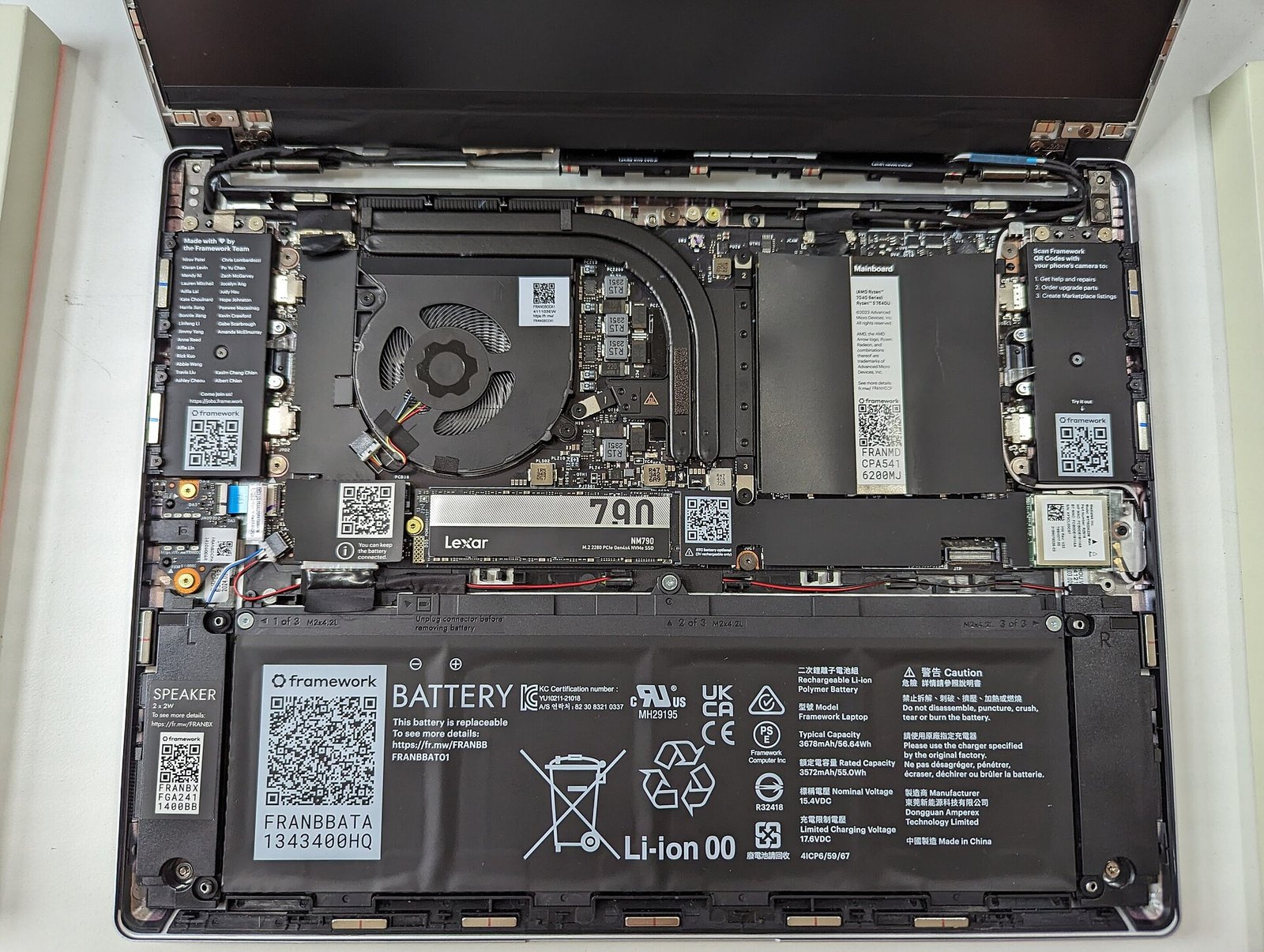
The Energy Equation: Battery Life vs. AI Compute
Local AI processing is energy-intensive. When an NPU runs at high utilization, power draw increases, which can lead to thermal throttling in thin-and-light chassis designs. These compact frames often lack the heat pipes and surface area found in workstations, forcing the system to reduce clock speeds to prevent overheating.
Processor architecture significantly impacts efficiency. ARM-based chips often manage background AI tasks with better power efficiency compared to x86 counterparts, which typically draw more wattage to maintain similar performance levels. Before purchasing, review technical benchmarks that measure power draw specifically under AI-load. If a laptop consumes excessive power for simple background tasks, you will see a noticeable drop in battery life during mobile use. Prioritize efficiency over peak throughput if you spend significant time away from a power outlet.
RAM: The Silent Bottleneck
Memory is the most critical factor for running local AI models. You should consider 16GB of RAM the absolute minimum for modern AI-capable systems. Anything less will likely result in system instability when attempting to run LLMs locally, as the operating system and the model compete for limited memory resources.
Memory bandwidth is equally important. Technologies like LPDDR5x provide the high-speed data transfer necessary to feed the NPU and CPU. When choosing a machine, remember that many modern, thin laptops feature soldered RAM. If you purchase a 16GB model, you cannot upgrade it later. For future-proofing your workflow, 32GB is the recommended capacity for heavy AI-related tasks.
Do not confuse system RAM with dedicated VRAM. While integrated graphics borrow from system memory, dedicated GPUs have their own VRAM. For creative tasks like video rendering or training small models, a dedicated GPU with at least 8GB of VRAM is preferred. For basic local LLM inference, however, your system RAM remains the primary constraint.
Thermal Management and Sustained Performance
Local AI inferencing is a sustained workload. Unlike a quick spreadsheet calculation, running a model keeps the processor and NPU under load for extended periods. If your laptop chassis is too thin, the system will hit thermal limits and throttle performance to protect internal components.
Manufacturers often use aggressive fan curves in “AI-ready” machines to manage this heat. If you require sustained performance for tasks like generating images or local transcription, avoid the most restrictive ultra-slim 13-inch models. A larger chassis provides more internal volume for airflow and heat dissipation. Always check for bottom-intake vents and ensure they are not obstructed by your workspace surface.
Segmenting the Market: Who Needs an AI PC?
Not every user requires a dedicated NPU. Most students and office workers can handle their daily productivity tasks using cloud-based tools, which remain highly efficient and do not require specialized local hardware. Local AI is primarily beneficial for privacy-conscious users who cannot send sensitive data to public servers.
Creative professionals should prioritize raw GPU performance and VRAM over NPU TOPS. If you are rendering 4K video or training models, your performance hinges on CUDA cores and dedicated media engines. The NPU is a supplementary tool, not a replacement for a high-wattage GPU.
If your workplace mandates strict data sovereignty, the investment in a machine with strong local processing capabilities is justified. However, avoid the “AI premium” if you are a casual user. Your budget is better spent on a higher-resolution display, a sturdier build, or more RAM.
Avoiding the Marketing Trap
Marketing stickers are not a substitute for technical specifications. When evaluating a laptop, ignore generic “AI-powered” branding. Instead, check the manufacturer’s official product page for the specific processor architecture and NPU performance ratings. If the manufacturer does not provide these details, treat the machine as a standard notebook.
Focus on the fundamentals: display quality, keyboard ergonomics, and chassis durability. These factors influence your daily experience more than the presence of an NPU. Verify that the manufacturer provides consistent firmware and driver updates, as the hardware is only as effective as the software stack supporting it.
Watch: What is NPU in a Laptop?
Frequently Asked Questions
Do I need an NPU to run AI features?
You do not strictly need a dedicated NPU to run AI, but it is recommended for a responsive experience. Without one, the CPU or GPU handles these tasks, which often leads to higher power consumption and heat. An NPU offloads these background tasks, keeping system performance stable for other applications.
Is 16GB of RAM enough for local AI development?
16GB is the absolute floor for modern AI-capable systems. For local development or running larger language models, 16GB will likely struggle as the system and the model compete for resources. Aim for 32GB to avoid performance bottlenecks. If your budget is limited, prioritize models with upgradable RAM slots.
What is the difference between an AI PC and a regular laptop?
The primary difference is NPU integration. A certified AI PC, such as those meeting Microsoft’s Copilot+ requirements, mandates minimum NPU performance and memory thresholds. Regular laptops rely on the CPU and GPU. While both can perform AI tasks, an AI-capable device is designed to handle these workloads more efficiently.
Does running AI locally drain my battery faster?
Yes. Local AI processing is energy-intensive. While an NPU is more power-efficient than using a dedicated GPU for these tasks, the increased compute load still draws more battery than standard productivity work. Expect shorter runtimes when running models locally.
Cutting Through the Hype
Is an AI laptop worth buying right now? If you are not running local LLMs or utilizing specific features that require an NPU, you may be paying for hardware that will remain idle. Most users can complete their daily tasks on standard hardware. Before purchasing, verify the specific NPU TOPS rating and ensure the machine fits your thermal and memory requirements. Do not let marketing buzz distract you from core hardware quality.
Sources and further reading
- Copilot+ PCs FAQ — Microsoft Support
- Intel AI PC Information — Intel Official Documentation
- AMD Ryzen AI Processors — AMD Official Documentation


Join the conversation