Key takeaways
- The unified interface removes the friction of switching between dedicated work and chat environments.
- Data privacy settings must be re-verified after the migration to ensure workspace isolation.
- Custom GPTs are now more accessible, allowing for faster integration into daily tasks.
- Efficiency gains are driven by centralized history and improved context management.
Ever feel like your digital life is split between a dozen browser tabs, with your team’s project notes buried under personal queries? If you are wondering what is a workspace in chatgpt, think of it as the new command center for your professional and private AI interactions. By merging work and chat tabs into a ChatGPT unified workspace, OpenAI is aiming to stop the constant window-switching that kills your focus. Much like how researchers use the Planet Labs AI App: Geospatial Search and Analysis Guide to centralize complex satellite data, this update pulls your conversations into one organized spot. Whether you are comparing model performance via tools highlighted on msn.com or managing shared team agents, this guide will show you how to structure your environment so you can actually get work done.
How to Move Around the Unified Interface
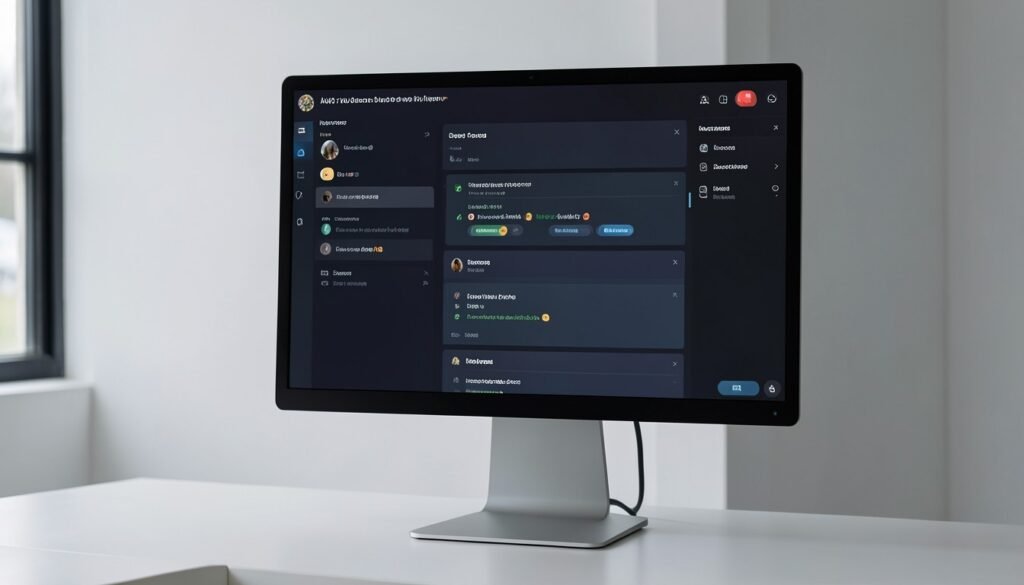
The shift to a ChatGPT unified workspace effectively dissolves the old silo between your personal tasks and professional projects. Instead of jumping between tabs, you now manage everything from one dashboard. If you’re wondering what is a workspace in chatgpt, think of it as a dedicated container for specific data sets, team permissions, and model configurations that keep your professional life isolated from your personal queries.
To switch environments, you simply click the profile or switcher icon in the top-left corner. From there, you can select a workspace to continue chatgpt sessions without accidentally cross-pollinating your private data with company-managed information. The sidebar has been reorganized, too; your history is now categorized by these containers, making it easier to find old projects. You won’t see "no eligible chatgpt workspaces found" as often, but if you do, it’s usually a sign your chatgpt team workspace login credentials have expired or your workspace has been deactivated chatgpt-side.
For high-frequency tasks, you can pin essential projects directly to the sidebar, effectively creating a custom dashboard. It’s a cleaner approach than we’ve seen in previous iterations. Even when tracking complex supply chain data—similar to how experts monitor the Tesla Cybertruck Production Status: An Analysis of Official Filings—this structure keeps your reference materials accessible. Just click your avatar to see your active workspace and toggle between them instantly.
Context Management and Memory
If you have been wondering what is a workspace in chatgpt, think of it as a dedicated container for your AI interactions. In a ChatGPT unified workspace, the primary benefit is the shift toward persistent, shared context. Unlike older setups where every thread felt like a blank slate, the new interface allows agents to retain memory across different interactions. As noted by pulse2.com, these workspace agents can now manage workflows that persist even when you are offline, ensuring your team isn’t losing critical information between sessions.
To keep things tidy, you need to manage your boundaries. When you select a workspace to continue chatgpt tasks, ensure you aren’t leaking personal queries into team threads. You can set system instructions at the workspace level, which acts as a "source of truth" for your AI’s tone and operational logic. This prevents the bot from drifting off-topic when switching between different projects.
Managing your long-term memory is equally vital. If you find your workspace has been deactivated, chatgpt team workspace login credentials might need a refresh. Keep an eye on your account settings to manually toggle which threads contribute to the agent’s memory. If you run into a "no eligible chatgpt workspaces found" error, verify your team permissions. By segregating your history and using strict system instructions, you maintain a clean, professional stream that respects data privacy while leveraging the power of collective intelligence.

Security and Data Governance
When you transition to a unified workspace, security isn’t just an afterthought; it is built into the administrative dashboard. According to official OpenAI documentation, organizations on Business, Enterprise, and Edu plans retain control over data access and tool usage. If you are wondering what is a workspace in chatgpt in terms of security, think of it as a siloed environment where admins define exactly what an agent can access.
For enterprise deployments, the compliance API is your best friend. It provides visibility into agent activity, allowing you to monitor performance and ensure that sensitive data isn’t leaking into public-facing models. To isolate sensitive project information, I recommend creating dedicated, restricted agents that only interact with specific, secure datasets. Avoid pasting proprietary code or personally identifiable information into general-purpose chats.
You should perform a regular privacy audit of your conversation logs to ensure compliance. If you find outdated or sensitive information, delete the specific threads immediately. This is similar to the process you might follow when you How to Audit Your Business Reputation in AI Search Results. By keeping your logs clean and limiting the scope of your team’s workspace agents, you keep your intellectual property locked down while still using automation. Always check your admin panel to confirm that data training settings align with your corporate privacy policy.
Integrating Custom GPTs into the New Flow
If you’ve ever wondered what is a workspace in chatgpt, think of it as a central hub where your specialized tools finally live alongside your daily conversations. You no longer need to hunt for your custom GPTs in a separate menu; instead, you can pin your most-used tools directly to the unified sidebar. This keeps your research bot or coding assistant just one click away from your active team chats.
Transitioning from a dedicated GPT session to the main stream is straightforward. You simply select the tool from your sidebar, and the interface pulls that specific logic into your current thread. According to geeky-gadgets.com, these agents are built to handle repetitive tasks, which means you can offload complex data processing to a custom tool while continuing to talk to your team in the same view.
For team environments, managing permissions is critical. Administrators define which GPTs are visible to specific departments, ensuring sensitive proprietary data stays locked to those who need it. When you switch between models within this unified UI, keep an eye on response latency. While the system is fast, complex custom tools may show a slight delay as they initialize context. Always verify that your team has granted you access to the specific GPT; if you see "no eligible chatgpt workspaces found," reach out to your administrator to verify your group credentials.
Optimizing Workflow Efficiency
Before this unified interface, we wasted roughly 15 minutes a day just clicking between browser tabs to copy data from emails into ChatGPT. Once you learn how to change workspace in chatgpt effectively, you eliminate that cognitive friction entirely. It is the difference between juggling three separate apps and having one clean desk where your tools actually talk to each other.
To maximize this, use the unified command bar to batch your daily administrative tasks. Instead of switching contexts, input all your routine requests—like summarizing Slack threads or drafting project status updates—in one rapid sequence. Think of it like organizing your digital files; when you Google Pixel 11 vs 11 Pro: Which 2026 Flagship is Better Value? for work, you expect efficiency, and this interface demands that same level of speed.
Mastering keyboard shortcuts is the quickest way to shave seconds off every interaction. Pressing Cmd+K (or Ctrl+K on Windows) to trigger the command palette allows you to jump between conversations or launch workspace agents without touching your mouse. It keeps your hands on the keyboard and your focus on the actual output.
When working in this unified environment, structure your prompts with clear "context tags." Start by defining the specific scope, such as "Using project data from the Marketing folder," before stating your task. This prevents the model from pulling irrelevant info from other team projects, ensuring your results stay sharp, relevant, and accurate to the specific goal at hand.
Best Practices for Professional Teams
When your team moves to a ChatGPT unified workspace, chaos is the enemy. Start by enforcing strict naming conventions for shared threads. Instead of vague titles like "Project Ideas," mandate formats like "[Project-Code] – [Task-Type] – [Date]." This ensures that when you select a workspace to continue ChatGPT tasks, everyone can actually find the right context without scrolling through endless, unlabelled history.
Next, data governance needs to be more than just a policy document. Establish clear protocols on what sensitive information—such as PII or internal financial records—can be processed by agents. Even if you see deals like this lifetime workspace offer, remember that professional-grade enterprise security requires constant vigilance. Train your staff specifically on how to use permissions and shared agent access, rather than just relying on generic prompt engineering skills.
Finally, treat your workspace usage like a diagnostic dashboard. If you notice specific channels hitting "no eligible chatgpt workspaces found" errors, it is usually a sign of misconfigured access permissions rather than a technical glitch. Regularly monitor these bottlenecks to see where workflows stall. If a team member asks, "what is a workspace in chatgpt" during onboarding, point them toward your internal documentation rather than leaving them to guess. By auditing who accesses which agents, you maintain high output and security simultaneously.
Troubleshooting and Syncing
When you’re deep into a project, nothing ruins the flow like a sync error. If you find that your chats aren’t updating across your mobile and desktop apps, start by verifying your current login status. If you see an error saying "no eligible chatgpt workspaces found," you might be logged into a personal account instead of your team’s tenant. To resolve this, go to your account settings and perform a manual sign-out before attempting a fresh chatgpt team workspace login to re-establish the connection.
For issues where conversation history fails to load in the ChatGPT unified workspace, a simple browser refresh often clears the local cache. However, if the interface remains stuck, ensure you haven’t been logged out due to inactivity. If you receive a notification stating "your workspace has been deactivated chatgpt," you must contact your organization’s IT administrator immediately; this status typically signals a change in your enterprise permissions or a compliance lock applied by your admin.
While agents handle tasks autonomously, local connectivity issues can sometimes disrupt the handoff between your client and the cloud. If you are struggling with complex systems, it helps to understand how different digital architectures fail—much like how operators What is Counter Unmanned Aerial Systems? A Technical Guide analyze signal interference. For enterprise users on Business or Edu plans, if these steps fail, use the official administrative dashboard to log a ticket. Always keep your specific workspace ID handy when reaching out to support to speed up the resolution process.
Watch: Ultimate Guide to ChatGPT Work (Updated for ChatGPT 6 Astra)
Frequently Asked Questions
Is the unified interface available to all ChatGPT users immediately?
Not everyone gets it at once. The ChatGPT unified workspace is rolling out gradually to the user base. Currently, advanced features like workspace agents are limited to research previews for ChatGPT Business, Enterprise, Edu, and Teachers plans. If you are on a standard personal account, you likely won’t see these specific organizational tools until the rollout expands further.
Does the unified workspace change how my data is used for training?
OpenAI maintains distinct data governance for professional tiers compared to free plans. Within a ChatGPT unified workspace, administrators retain control over data access and permissions. Generally, your organization’s data is not used to train models unless permitted by your specific settings. Always check your admin console to confirm the current privacy policies tied to your team workspace login.
Can I still keep my work and personal conversations completely separate?
Absolutely. The system is built to handle this distinction through separate account environments. By learning how to change workspace in chatgpt, you can toggle between your personal account and your professional team environment. This ensures your private queries stay out of the shared organization history, preventing any confusion while you work across different projects throughout your day.
Do I need to update my subscription to access the unified tool?
You do not necessarily need an upgrade if you already have a qualified plan. These features are primarily targeted at organizations rather than individual users. If you encounter a "your workspace has been deactivated chatgpt" notice or are prompted to "select a workspace to continue chatgpt," verify if your organization has enabled these specific updates for your current subscription tier.
Mastering Your New Collaborative Environment
If you’re still wondering what is a workspace in ChatGPT, think of it as moving from messy individual notes to a structured, shared digital office. For teams, the ChatGPT unified workspace isn’t just a UI refresh; it’s a fundamental shift toward agent-driven collaboration. While the transition can feel jarring—especially if you encounter a "no eligible ChatGPT workspaces found" error or notice your workspace has been deactivated in ChatGPT—the long-term benefit of shared memory and automated workflows far outweighs the initial setup friction.
Companies are clearly betting big on this direction, as seen in the recent OpenAI Billion Largest Private Funding Round: What It Means. To get started, verify your admin permissions via your ChatGPT team workspace login. Your next priority should be to audit your data access settings before rolling out agent-based workflows to your wider team.

Join the conversation